

There is a conversation we have with almost every new client. We ask them to pull up their site on their phone. Then we watch them wait. And wait. The hero renders line by line. The nav jumps around as the fonts load. A popup covers the screen before the content is even visible. They look at us and say some version of 'yeah, we know it's slow, but it still works.' That is where we have to tell them it does not still work. A slow site is a revenue leak that compounds across every visitor, every page, every day the site stays up.
This article is the conversation we wish every business owner would have before they spent another dollar on advertising or another hour wondering why their site is not generating leads. The numbers are stark. The math is simple. The solutions are well-documented. The only open question is whether you act on them.
The Speed-Revenue Connection

Small speed differences compound across every visitor your site ever sees.
Start with the most direct relationship: speed and money. The data is not theoretical. Some of the most-studied websites in the world have published conversion curves by load time, and the numbers corroborate what we see in our own work across dozens of industries.
Portent's site speed research followed 20 e-commerce sites across 100 million page views. Conversion rates fell from 3.05 percent at a 1-second load, to 1.68 percent at 2 seconds, to 0.67 percent at 4 seconds. Run that math against your own numbers. If you do $10 million a year at a 3-second load, you are plausibly leaving mid-seven figures on the table against a 1-second competitor. The product is fine. The price is right. The customer was ready. Your site just was not fast enough to close the deal.
For smaller businesses, the math scales proportionally but the pain lands differently. A local service company doing $500,000 a year through their site might be leaving $50,000 to $100,000 on the table because the site is slow. That is a salary, a marketing budget, or the difference between growth and stagnation, wasted on a problem with a known solution.
7%
Conversion drop per 100 milliseconds of added mobile load time.
Your product is fine. Your price is right. The customer was ready. Your site just was not fast enough to close the deal.
How Google Penalizes Slow Sites

Google ranks on speed. Failing Core Web Vitals is a measurable search-position tax.
Speed affects more than the users who reach your site. It determines whether they find your site at all. Google has used page speed as a ranking factor since 2010, and the implementation has gotten stricter each year. In 2026, Google's speed and usability scores feed the ranking systems. Google measures three things: how fast your main content shows up, how quickly the page responds when a visitor taps or clicks, and how much the layout jumps around while it loads. Sites that fail any of the three land lower in search.
The ranking impact is not hypothetical. Independent analyses like Searchmetrics' speed study, which examined more than two million pages, have consistently found that sites that pass Google's speed tests rank higher in unpaid search results. Google positions Core Web Vitals as a tiebreaker rather than a dominant factor, but the tiebreaker is real and applied at scale. The difference between position 3 and position 6 on Google is roughly a 50 percent reduction in clicks. Your slow site is not just rendering slowly for the visitors who find you. It is keeping visitors from finding you.
The compounding effect is nasty. A slow site ranks lower, lower rankings bring less traffic, less traffic produces fewer conversions, fewer conversions leave less budget for the improvements that would fix the speed in the first place. Your faster competitors are doing the opposite: ranking higher, capturing your traffic, converting it, and reinvesting the revenue into more optimization. Speed compounds. For fast sites, it compounds in their favor.
Key Takeaway
Google favors fast sites. It demotes slow ones. If your site fails Google's speed tests, you are paying an invisible tax on every piece of content you publish and every SEO dollar you spend.
The Psychology of Waiting

79% of online shoppers who have trouble with a site's performance say they will not return.
Beyond the hard metrics, there is a psychological dimension to site speed that affects how customers perceive your business. Research on how people judge websites has shown that speed reads to visitors as competence. When a site loads instantly, visitors assume the business behind it is professional and trustworthy. When it drags, the assumption goes the other way, even if the visitor cannot tell you why they bounced.
79%
of online shoppers who have trouble with a site's performance say they would not return to buy again.
Stanford's long-running Web Credibility Project found that nearly three-quarters of web users form credibility judgments based on design and information presentation, with 46 percent pointing to visual design itself as the single biggest signal. Speed is a subset of that judgment. Users do not consciously think 'this site is slow, so this company must be unprofessional.' The subconscious association is strong and well-documented. A slow site creates a first impression of carelessness that your sales team then has to climb out of, assuming the prospect stayed long enough to talk to anyone.
Consider it from your customer's perspective. They searched for a solution. They clicked your link. They waited. And waited. They watched a loading spinner, or worse, a half-rendered page with the layout jumping around. In that moment they are comparing your site to every other site they have visited today: to Amazon, which loads in under a second; to their bank, which loads in under two; to your competitor, who invested in a fast site and captured the lead while your hero image was still rendering.
Users do not consciously think this site is slow, so this company must be unprofessional. The subconscious association is strong and well documented.
What Makes Websites Slow

Cheap hosting, bloated CMS platforms, and unoptimized images are the usual culprits.
In our experience auditing hundreds of client sites, the culprits are almost always the same handful of issues.
Unoptimized images are the single biggest performance killer on most sites. A main photo saved as a heavy 4MB JPEG instead of one of the newer formats browsers prefer can add 3 to 5 seconds to mobile load time. We regularly audit sites where the homepage downloads 15 to 20 megabytes of image data. For context, a well-optimized site's homepage should sit under 1.5 megabytes total, including all images, fonts, scripts, and stylesheets.
Tracking and widget code comes next. Every analytics tool, chat widget, social embed, heatmap tracker, and marketing pixel adds weight and slows the page. We have audited sites with 30 or more of these outside tools loading on every page. Many are redundant. Several are abandoned by their vendors. A few are outright unused. Each one competes for bandwidth and CPU time, and the cumulative effect adds seconds to your page load. The irony: many of those tools are measuring traffic that the tools themselves are driving away.
Cheap hosting is the one owners are most reluctant to change. Many businesses still run on shared hosting plans at $10-$20 a month, serving their site from a single server in a single location. When a user in Tulsa requests a page from a server in Virginia, the sheer physical distance between visitor and server adds at least 50 to 100 milliseconds to every page the server sends, before it even starts building the page. Budget hosting also typically means shared resources, so your site's performance is affected by every other site on the same machine.
Bloated content-management platforms and page builders round out the usual suspects. Most WordPress sites are slow for this exact reason. A paid theme plus twenty plugins can force the browser to download two to three megabytes of code on every page, and the browser has to unpack all of it before your visitor can actually use the page. Most of that code is unused on any given page. It gets loaded anyway because the theme and the plugins were built for flexibility, not performance.
Key Takeaway
The four usual reasons sites are slow: oversized images, too many outside tracking tools, cheap hosting, and an overloaded content platform. Fix even one and you'll feel the difference.
The Modern Stack Advantage

A well-built modern site hits PageSpeed scores the legacy CMS world still struggles with.
The tools and infrastructure available in 2026 make building fast sites cheaper and easier than they have ever been. The performance gap between a well-built modern site and a traditional CMS site is large, and the cost difference is smaller than most owners expect.
Our sites are built on Next.js, a modern platform designed for speed. Our sites routinely load in under a second, on a phone, on any connection. When we show owners their PageSpeed score after a rebuild, it is usually the first time the number has been in the green on mobile. That is not heroic optimization. It is what a platform built for speed produces by default.
We also copy your site to servers all over the world, through networks run by Cloudflare and Vercel. A customer in Tulsa gets the site from a server in Dallas. A customer in Atlanta gets it from a server in Atlanta. The customer in London gets it from London. No one is waiting on a single server in Virginia to talk to the rest of the world. Your visitor does not wait.
Newer image formats deliver the same visual quality at 25 to 50 percent of the file size of older ones. Next.js handles the conversion automatically, serving each visitor the format their browser likes best. A hero image that weighs 800KB as a JPEG ships as a 200KB AVIF to browsers that can accept it, with no quality difference visible to the human eye. Multiply that savings across every image on every page and the performance improvement is not subtle.
The gap between a modern site and a traditional one is not small. On mobile it is the difference between the visitor staying and the visitor leaving.
What Speed Actually Costs (The Real Benchmarks)
Most of the case studies agencies cite don't have public sources. Two that do:
Walmart reported that every 1-second improvement in page load time drove up to a 2 percent lift in conversions. At Walmart's scale, that is hundreds of millions in annual revenue tied to a one-second speed delta.
Amazon's 2006 A/B test (still the industry reference) found that every 100 milliseconds of added latency cost 1 percent in sales. Twenty years later, every measurement that has followed that study has confirmed the direction.
Those are the largest, most-measured sites in the world. Small and mid-sized businesses are on the same curve. The dollars just come out smaller.
The Cost of Doing Nothing
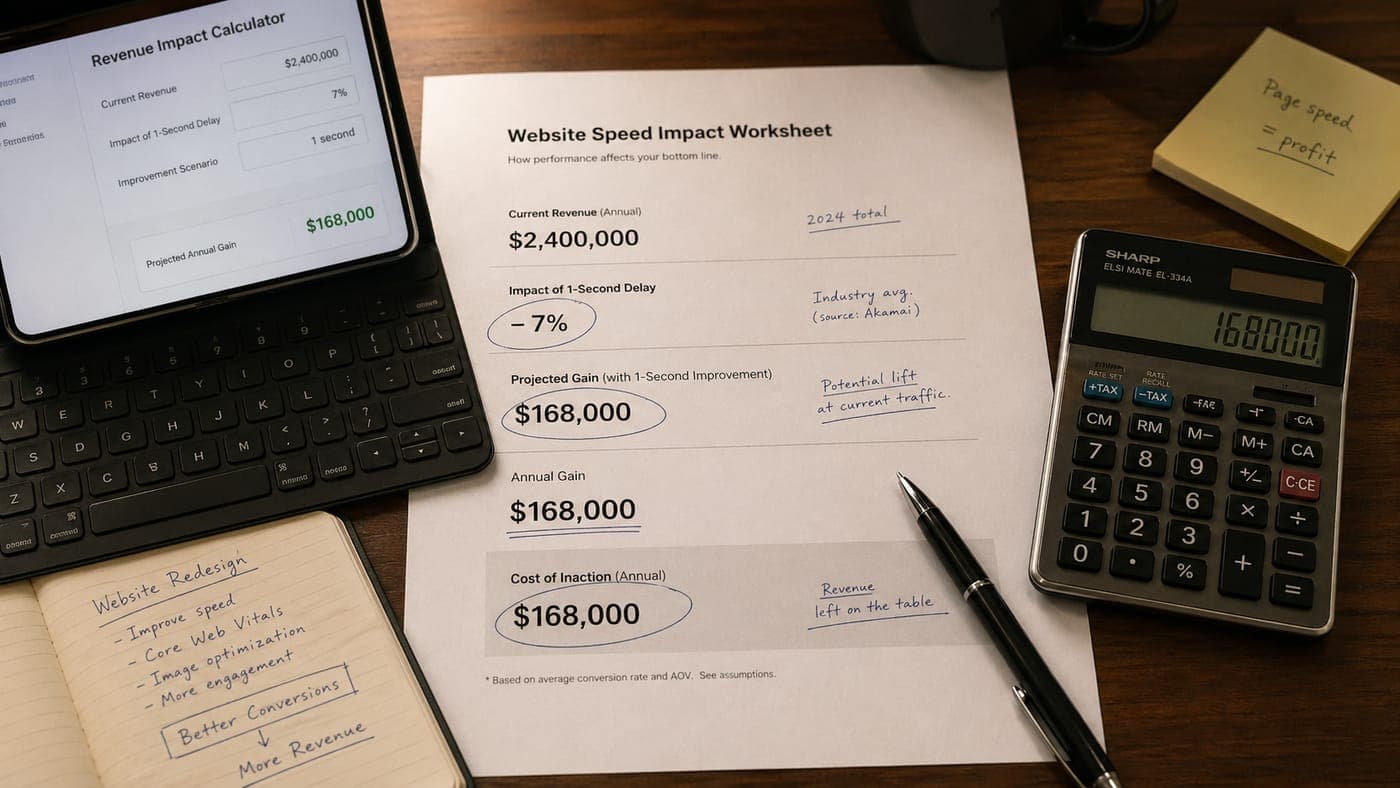
Speed improvements compound across every page, every visitor, every channel.
Interactive Tool
Speed Impact Calculator
See how much a faster website could be worth to your business
Current Monthly Revenue
$50,000
With Speed Improvement
$65,000
Monthly Gain
$15,000
Annual Gain
$180,000
3-Year Cost of Inaction
$540,000
Waiting is the option that costs the most. Every month your site stays slow, the losses stack. Visitors who would have converted don't. Google favors the faster site and your search visibility erodes. Paid traffic bounces off a page it was sent to, so advertising ROI drops. Meanwhile the competitors in your market invest in the infrastructure you're putting off.
Let me work the math for a typical small-to-mid-sized business. Assume your site gets 5,000 visitors per month, your current conversion rate is 2 percent, and your average sale or lead value is $500. That is $50,000 a month in website-driven revenue. If a speed improvement lifted your conversion rate by 30 percent (from 2 percent to 2.6 percent), that is an additional $15,000 per month, or $180,000 a year. The cost of a high-quality website rebuild is typically a fraction of that annual gain. The investment pays for itself inside the first few months.
$180K
Illustrative annual revenue gain from a 30% conversion lift on a hypothetical 5,000-visitor-per-month site with a $500 average order value.
Compare that to the cost of doing nothing. A year of a slow site is not just $180,000 of missed revenue. It is watching your search rankings erode, your brand perception decline, and your competitors pull further ahead. The gap does not hold steady. It widens, because their investment in speed compounds the same way your neglect does.
Key Takeaway
A website rebuild is an investment with a calculable return. If the math shows a faster site would increase revenue by more than the cost of building it (and it almost always does), the decision is straightforward.
What You Should Do Right Now
If this article convinced you that site speed matters, here is a concrete plan. Steps ordered by impact and difficulty, starting with the easiest wins.
Run a free test at pagespeed.web.dev. Test your homepage and your most important landing pages on mobile. Write down the three scores Google shows you: how fast your main content appears, how quickly the page responds to a tap, and how much the layout shifts while loading. Those are the three Google uses to rank you.
Optimize your images. If you are on WordPress, install an image-optimization plugin that compresses your images and waits to load the ones below the first screen until the visitor scrolls down to them. If you are on another platform, compress your images with a tool like Squoosh. That single step typically improves page load time by 30 to 50 percent.
Audit every tracking tool, widget, and marketing pixel on your site. Ask whoever maintains it to list every outside tool loading on each page, from analytics and chat to heatmaps and ad pixels. Keep the ones earning their place. Remove the rest.
Evaluate your hosting. If you are on shared hosting, look at managed hosts that serve your site from locations around the world by default. For WordPress sites, WP Engine or Kinsta produce noticeable improvements over budget hosts. For modern platforms like Next.js, Vercel handles worldwide delivery out of the box.
The big one. Evaluate whether your current platform is capable of meeting modern performance standards. If your site is on an outdated CMS with a heavy commercial theme and dozens of plugins, there is a ceiling on how fast you can make it. No amount of tuning will make a fundamentally heavy platform perform like one built for speed from day one. At some point, the right move is to rebuild on a platform designed for performance from the ground up.
No amount of caching and optimization will make a fundamentally heavy platform perform like a purpose-built modern site. At some point, a rebuild is the right call.
At Creative State we have walked a lot of businesses through this exact decision. We will audit your current site, quantify the performance gap, estimate the revenue impact, and build a plan that makes financial sense for where you are. If an optimization pass on your current platform will get you where you need to be, we will tell you that. If a rebuild is the right move, we will show you the math. Either way, the first step is understanding where you stand and what it is costing you. The conversation is free. Bleeding revenue on a slow site is not.
Key Takeaway
Every day your site runs slow is a day you are paying for traffic you cannot convert, rankings you cannot earn, and impressions that damage your brand. The solution exists. The math is clear. The only real question is how long you are willing to keep paying the cost of inaction.
Ready to harness AI for your business?
Let's Build Something
That Actually Works
We've been building websites for 25+ years. Now we build them with AI. Faster, smarter, and more capable than ever.
Free consultation · No obligation · Real humans (augmented by AI)